
TikTok Video Saver — Keep the Videos You Love on Your Own Device
Keep any public TikTok video on your own device — no watermark, saved as an MP4 to watch offline any time.
Saving Is Not the Same as Liking
TikTok’s heart button and in-app favourites feel like saving, but they save nothing at all. They are bookmarks pointing at TikTok’s servers — and bookmarks break. Creators delete videos, accounts get banned or change their names, sounds get pulled in copyright sweeps, and a video you loved last month simply refuses to play.
A real save is a file stored on your own device, and that is what this page does: paste the link, and the video itself — picture and sound, no watermark — becomes yours to keep.
How to Save a TikTok Video
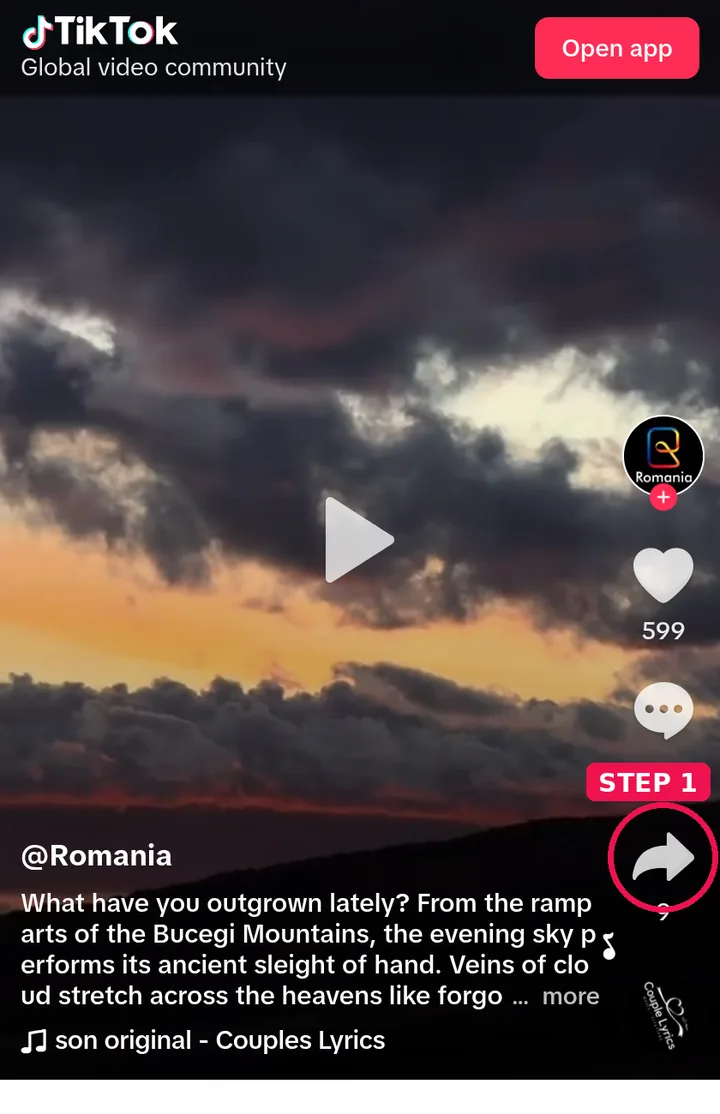
Step 1: Tap Share on the video in TikTok, then Copy Link.
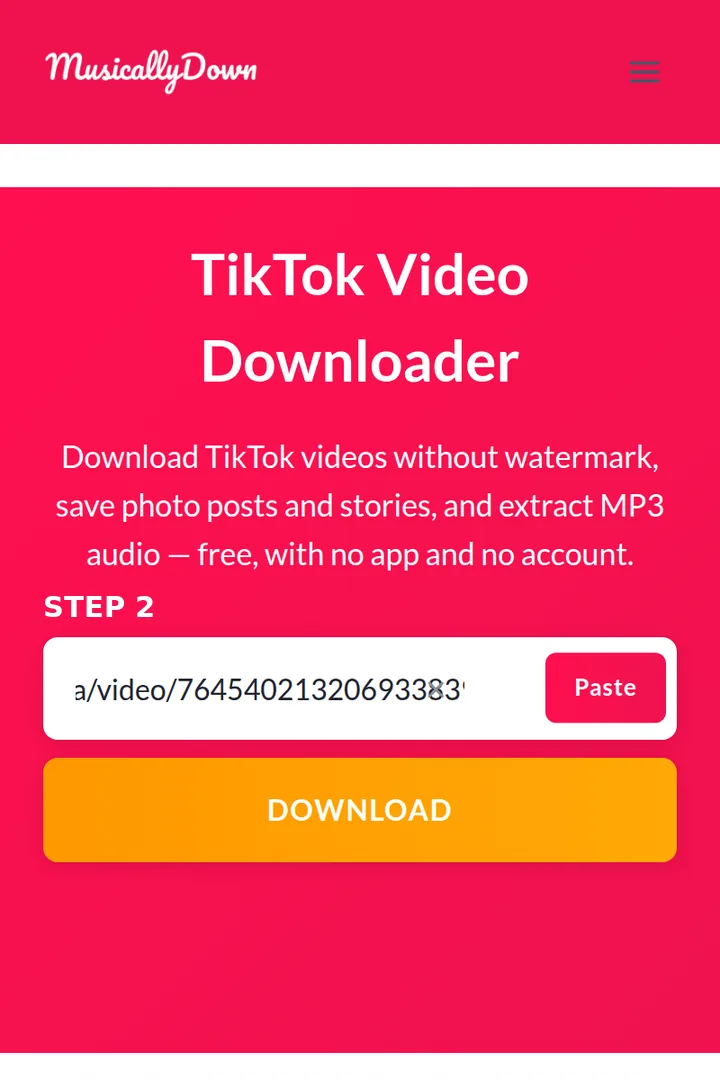
Step 2: Paste the link into the box above and press Download.
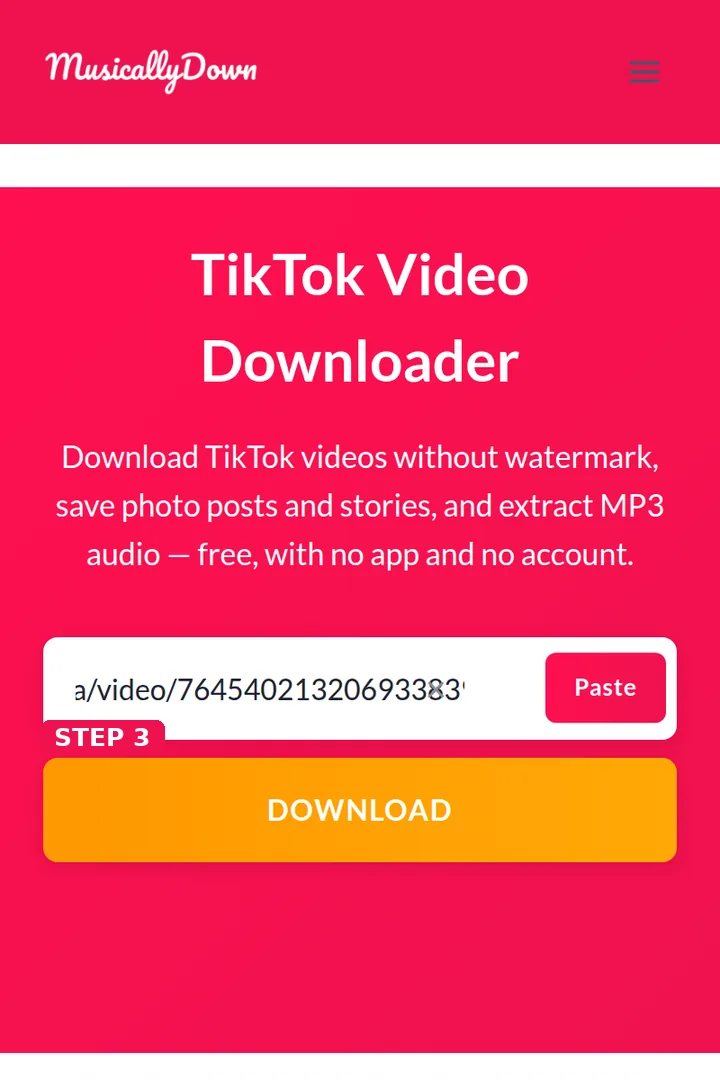
Step 3: Choose the standard or HD version in the results.
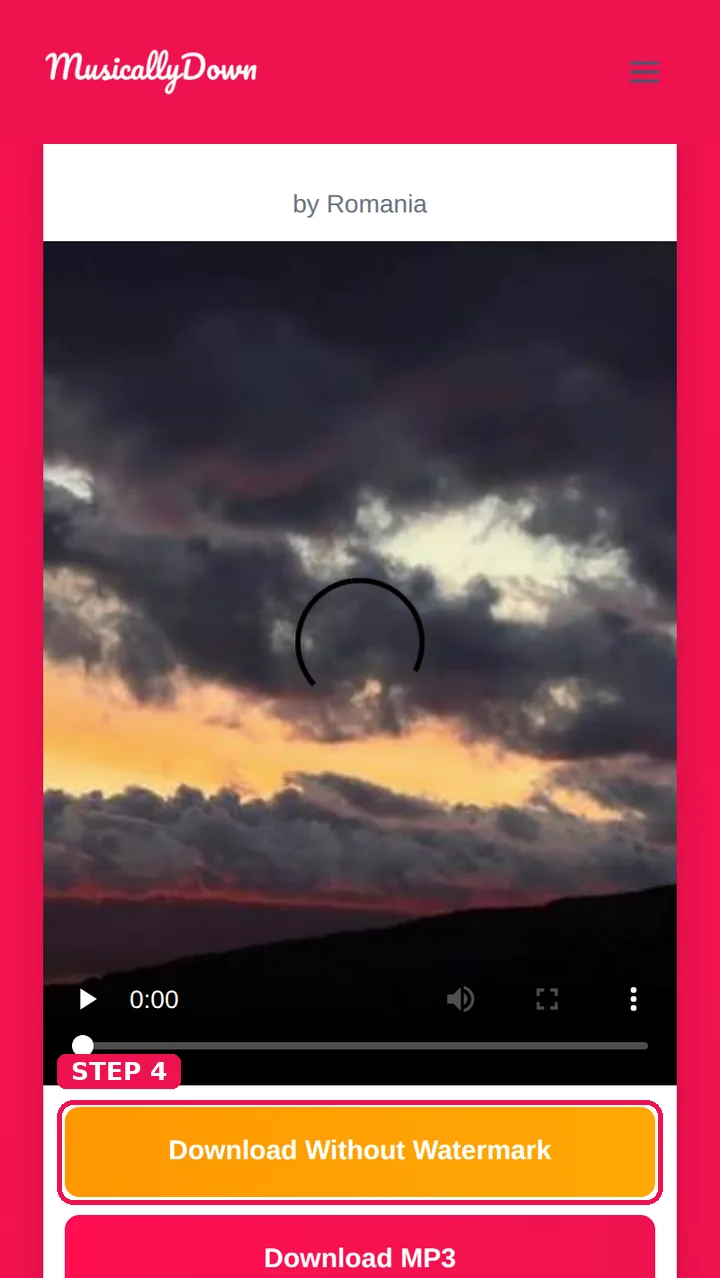
Step 4: The MP4 saves to your device — the Downloads folder on Android and computers, the Files app on iPhone.
If the post is a photo slideshow, each photo is offered to you separately instead; if you only want its sound, the MP3 option in the same results handles that too.
Building a Collection That Actually Lasts
A few small habits make the difference between a useful collection and a forgotten folder:
- Rename files when you save something precious. “VID-20261111.mp4” will mean nothing in a year; “amma-recipe-biryani.mp4” still will. On a computer this takes seconds per file.
- Keep a folder per theme. Recipes, workouts, study notes, comedy — four folders beat one pile of four hundred videos.
- Save the caption’s key information too. For tutorials and recipes, a screenshot of the caption or the top comments preserves the written steps the video alone may not show.
- Back the folder up. A phone can be lost; a copy in cloud storage or on a computer means your collection survives it.
- Review your favourites monthly. Anything in your TikTok favourites that you genuinely care about deserves the two minutes it takes to save it properly — favourites lists shrink silently all the time.
Watching Your Saved Videos Offline
A saved MP4 plays with no connection whatsoever — on a flight, on a bus passing through a low-signal area, or inside apps that cannot open TikTok links. It also shares like any other file: to family chats, to your own other devices, to a TV. And unlike an in-app bookmark, it still works if the original post disappears tomorrow.
That reliability is the reason people look this tool up under both spellings of its name, musicaldown and musicallydown — whichever one you typed, you have found the saver you wanted.
See also: TikTok Watermark Remover and TikTok to MP4 — the other tools in this set.
Frequently Asked Questions
Nothing technical — it is the same downloader. This page concentrates on saving videos and keeping them long-term; the homepage covers every format.
Yes, for public posts. That setting controls TikTok’s own button only; a public post can still be saved through its link.
No notification is sent, and your downloads are not listed anywhere.
That is exactly what saving means here — the MP4 is a real file on your device and needs no internet to play.
Short TikToks are usually a few megabytes; HD versions and longer videos take more. The file size is shown by your device after saving, and standard quality is the smaller choice.
No — this tool works one post at a time, by link. There is no bulk or account download, which also keeps the tool simple and free.
That is rare, and it usually means the original post’s sound was removed by TikTok before you saved it (a copyright mute). If the post plays silently in TikTok too, the sound is gone at the source.
Saving for yourself is fine. Reposting someone else’s video as your own content is not — watermark or no watermark, the work belongs to its creator, so ask first.