
TikTok to MP3 — Pull the Sound Out of Any TikTok Video
Pull the sound track out of any public TikTok post and save it as an MP3 — the full track, at original quality, free.
For the Posts Where the Sound Is the Point
Half of TikTok runs on audio: the song everyone is dancing to, the remix that exists nowhere else, the voiceover, the comedy timing, the recitation, the thirty seconds of a podcast that stopped you scrolling. When the picture does not matter and the sound is everything, downloading the whole video wastes space and battery. This page removes the picture and hands you just the sound track as a clean MP3 that plays in any music app, car stereo or editor.
The MP3 is taken from the post’s own audio track — not a microphone recording and not a screen capture — so it sounds exactly the way it does inside TikTok.
How to Extract MP3 Audio From a TikTok Video
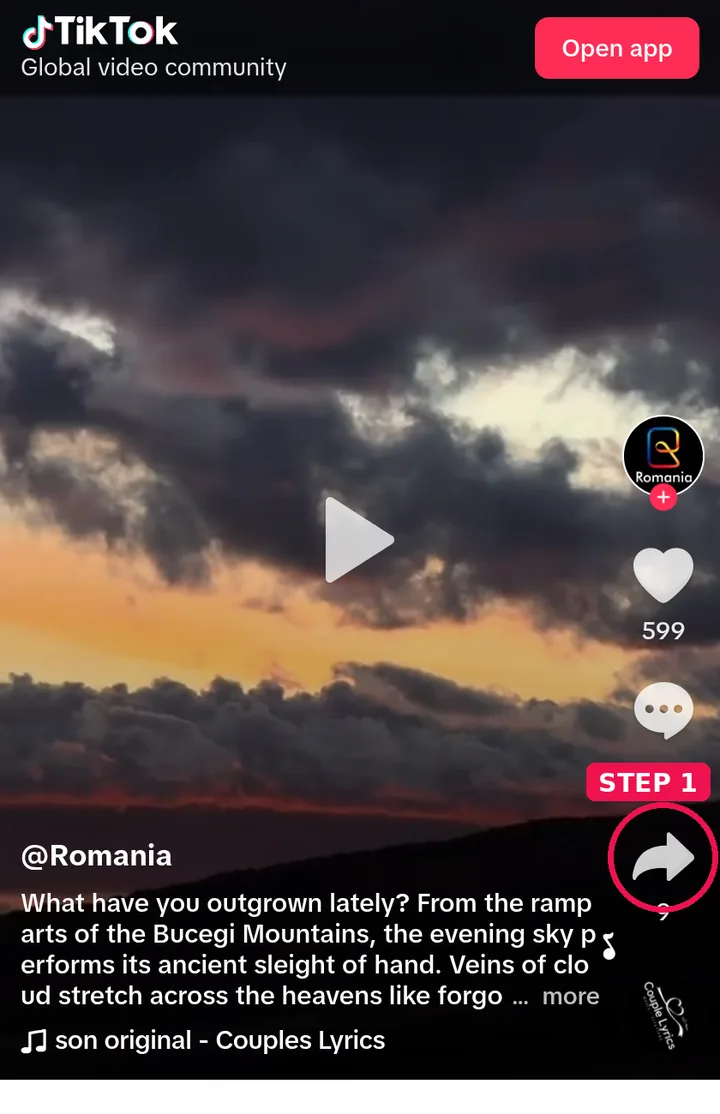
Step 1: Open the post in TikTok and tap Share → Copy Link (on a computer, copy the address bar link).
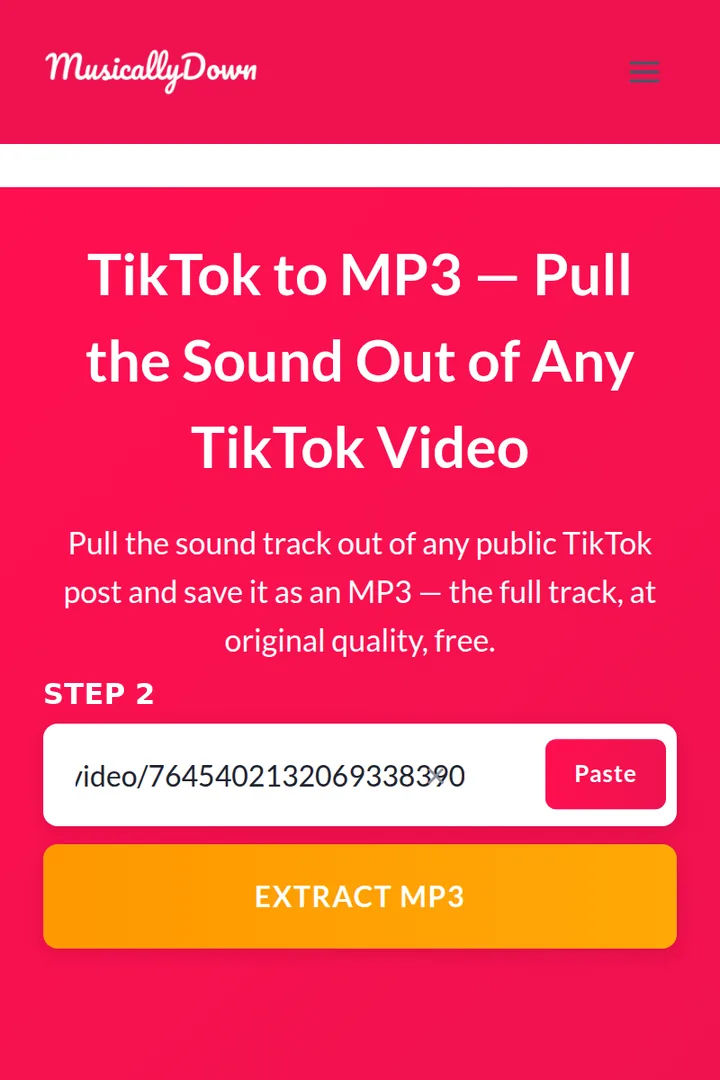
Step 2: Paste the link into the box above.
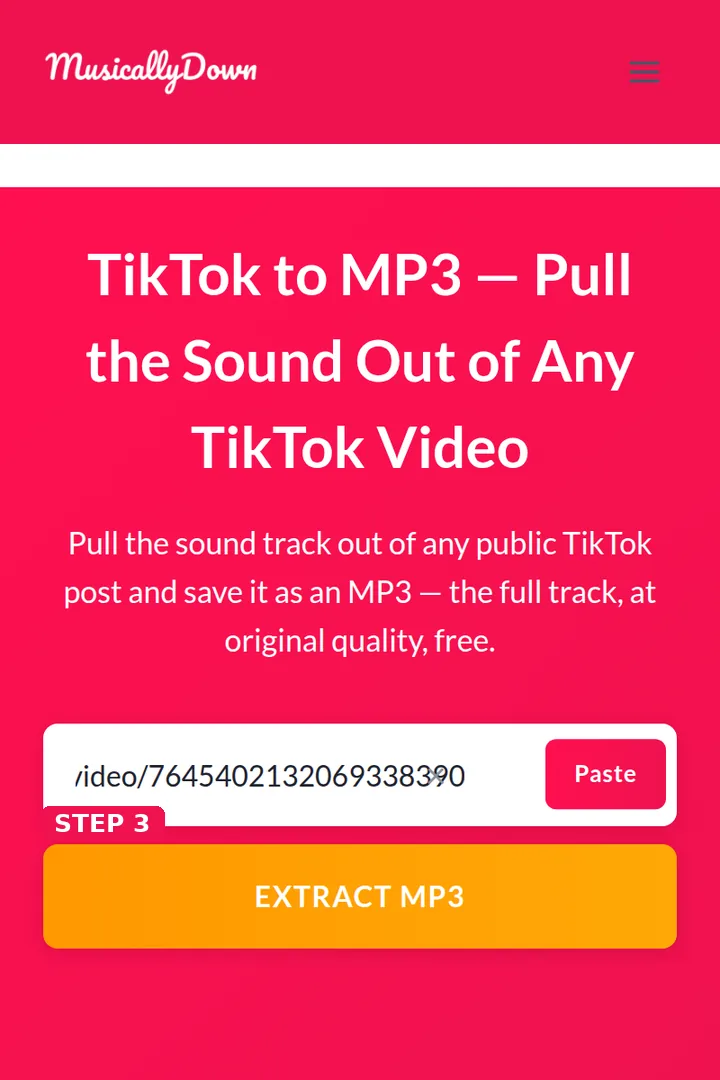
Step 3: Press Extract MP3. The tool reads the post and prepares its audio.
Step 4: Tap the MP3 download button in the results and the file saves to your device.

Everything runs in the browser — Android, iPhone, Windows, Mac. On iPhone, Safari saves the MP3 to the Files app, where any player app can open it. And if you need the video as well as the sound, the homepage tool saves it as an MP4 with no watermark.
What You Get — and What You Don’t
- The complete sound of the post. If the video is 40 seconds, the MP3 is 40 seconds. TikTok sounds are clips, and no extractor can recover parts of a song the creator never used.
- Original quality. The audio is taken as-is from the post’s track.
- Any public post works — an ordinary video, a slideshow (its background sound), even a post whose picture is a single photo. If it plays a sound on TikTok, that sound can be saved here.
- Not a music store. If you want a full commercial song, the proper route is a streaming service or the artist’s store — you will get the whole track, better quality, and the artist gets paid. This tool is for the sound as it appears in one specific post: remixes, edits, voice notes and clips that often exist nowhere else.
Good Uses for TikTok MP3s
Saving a sound you plan to create with later; keeping a voice-message-style post from a creator you follow; lifting a clean audio bed into an edit (with the creator’s permission where the use is public); archiving a recitation, lecture clip or interview moment for offline listening; turning a downloaded clip into a ringtone where your phone allows it. It is the job people search for under both spellings of the name — musicaldown and musicallydown alike.
See also: TikTok to MP4 and TikTok Video Saver — the other tools in this set.
Frequently Asked Questions
It is the full sound of the post — which for most music posts is a clip of the song, exactly the part the creator used. If the post plays the entire track, you get the entire track.
The same quality as the audio track TikTok holds for the post. It is extracted, not re-recorded, so the process itself adds no extra loss.
Yes. Slideshow posts carry a sound track too, and it extracts the same way.
No. Only public posts can be fetched.
Into the Files app (Downloads). Open it from there, or share it into your music or player app of choice.
The post may be private, deleted, or the link incomplete. Copy the link again directly from the post’s Share menu and retry.
For personal listening, it is comparable to saving the video, which TikTok itself offers in-app. Re-uploading, distributing or monetising someone else’s audio is a different matter, and it is the creator’s and rights holder’s call — not ours, and not yours.
Only the post’s own audio is available here. For the commercial original, a streaming service is the right source — and the quality will be better.